The missing patient record
The patient is here, but their notes are scattered between folders and desks. Finding the right history slows the visit.
Time lost before care begins.
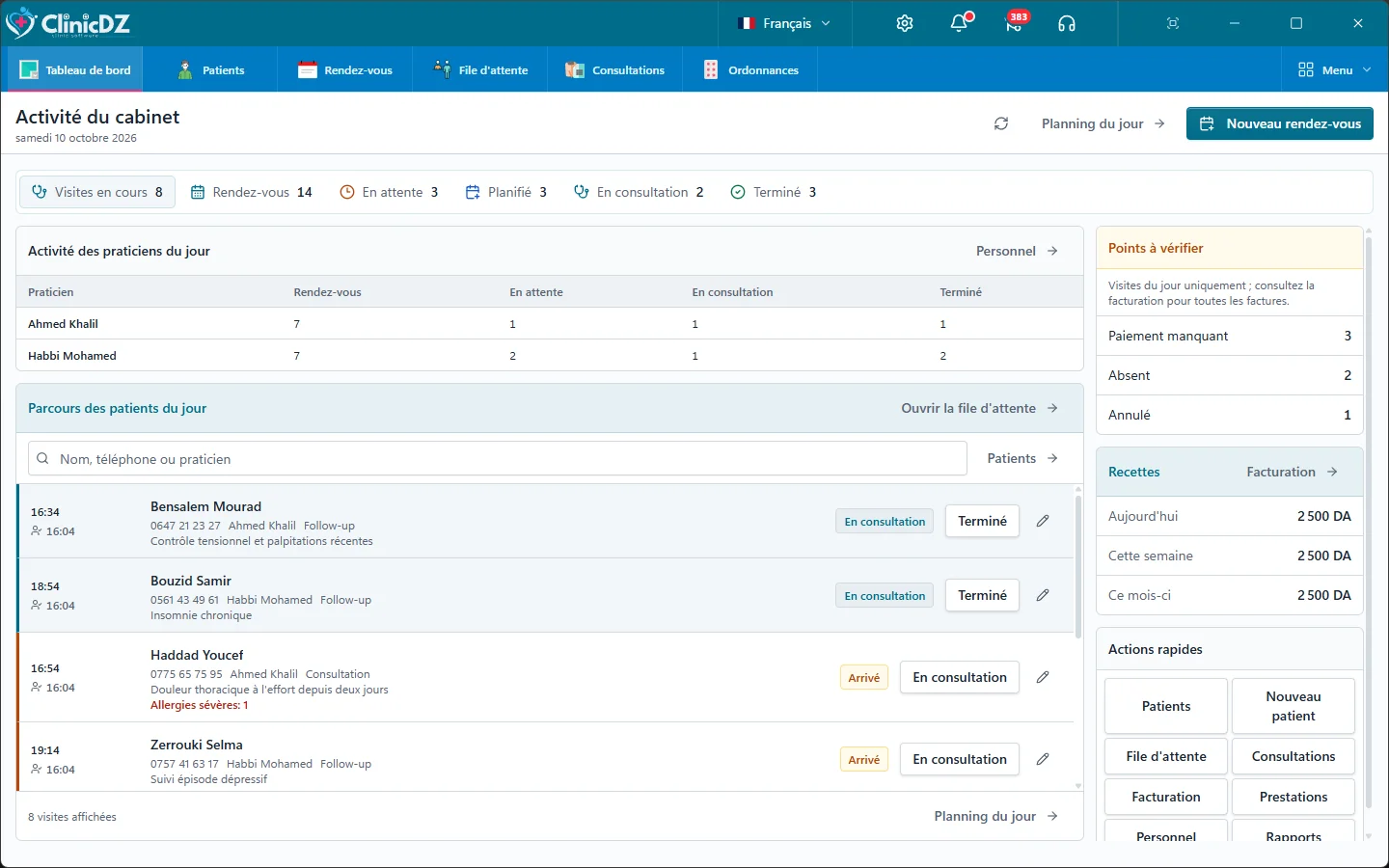
ClinicDZ connects reception, clinicians and billing around one patient record: appointments, waiting room, consultation, documents and payments.
Reception, consultation and billing are harder when each has a separate view of the visit.
The patient is here, but their notes are scattered between folders and desks. Finding the right history slows the visit.
Time lost before care begins.
Repeating the same details and treatments takes time that belongs in the consultation.
The same effort, every patient.
A local database needs a planned backup routine and regular checks of the copies.
Continuity depends on verified backups.
When arrivals and order of passage are unclear, reception and clinicians spend time checking what comes next.
A workflow depending on continuous Internet can complicate visits when the external connection is unstable.
Without a shared record of payments and invoices, reviewing the day takes extra work.
ClinicDZ links these steps in a patient journey your practice team can follow.
Set up the main workstation, connect licensed posts over the local network, and follow each visit.
Install ClinicDZ on a Windows workstation. Your practice can then organize its local setup and backup routine.
Guided setupReception records arrival and directs patients into the practitioner's waiting queue. The clinician opens the history from their workstation.
Everything togetherDocument the consultation, prepare prescriptions or lab requests, and link bills and payments to the visit.
A clearer dayExplore a doctor's workflow in ClinicDZ: appointments, patient records, consultations, medicines, prescriptions and lab requests.
Appointments, waiting patients and practitioner activity in one view.
Clinical notes, documents and partial payments stay linked to the visit.
Keep identity, history, visits and documents linked to each patient.
Patient contextReception assigns appointments to the right practitioner. Each doctor sees their own waiting queue and consultations.
Multi-doctor practiceSearch the drug catalogue and build favorites around your specialty's prescribing habits. Frequently used choices are easy to find.
Personal listSearch by identity details and open the patient history.
Plan visits, record walk-ins and direct each patient into the appropriate practitioner's queue.
Write and print a readable prescription from the consultation.
Coordinate locally according to the workstations and licenses installed.
Track billed, collected, refunded and outstanding amounts, including partial payments.
The main workstation works without continuous Internet. Client posts need it and the local network.
Plan local backups and verify transferable copies with the team.
Prepare lab requests, follow results and keep documents with the patient record.
Record the reason, examination, diagnosis and follow-up in the visit, ready for the next consultation.
04 / Local operation
The main workstation stores the working database at the practice. Additional licensed workstations collaborate over the local network and depend on the main workstation.
Core work can continue without continuous Internet access.
Each post needs a license and access to the main workstation over the local network.
Services such as WhatsApp still require an Internet connection.
Keep records, waiting queues and billing in one connected workflow.
39,000 DA for the first workstation; 19,000 DA for each additional workstation in the same practice.
First workstation
39 000 DA
Additional workstation
19 000 DA
Proposed per-workstation prices, with no monthly software subscription
What ClinicDZ covers
Our team confirms the number of workstations, local network setup and installation terms before payment.
Our team confirms the number of workstations, local network setup and installation terms before payment.
Choose a demo or licenses. For licenses, select how many workstations you need.
The main workstation holds the working database locally and can perform core tasks without continuous Internet. Additional posts need the main workstation and local network.
A local network setup can connect workstations. The required licenses and setup depend on your practice.
The proposed local price is 39,000 DA for the first workstation and 19,000 DA for each additional post in the same practice. We confirm terms before payment.
Prepare and verify a current backup before changing hardware. Our team confirms the license transfer and restore process.
The local edition keeps the working database on the main practice workstation. Any optional cloud service is separate and requires confirmation before activation.
Patient records, appointments and billing support many practices. Ask for a demo of your particular workflow.
Yes. Choose the demo option in the form and send the prepared WhatsApp message. Our team will arrange a walkthrough for your practice.
Tell us about your practice and the number of workstations. We will help choose the right setup.
Contact ClinicDZ