01
Day and week views
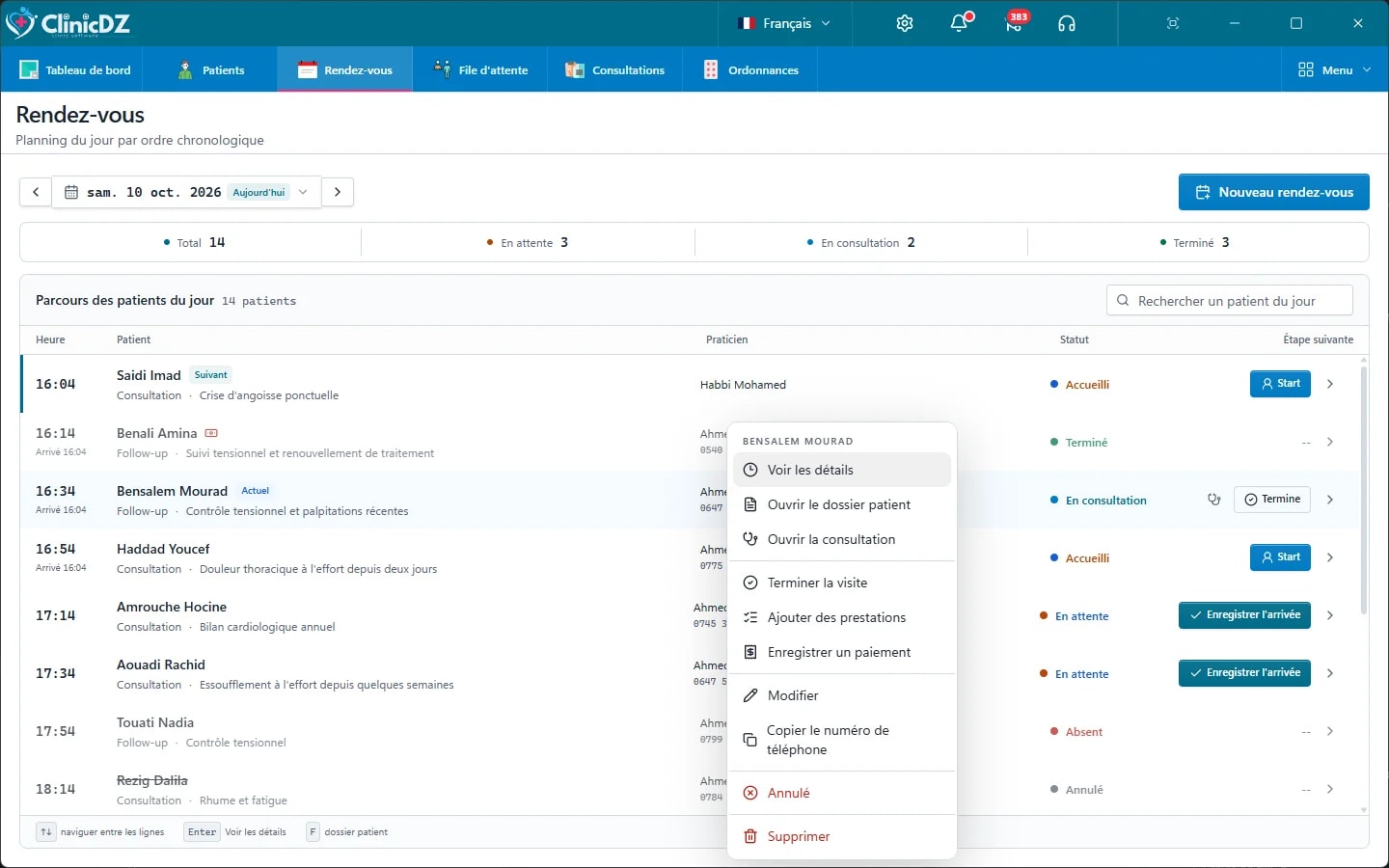
See every doctor's schedule for the day or the week, with each appointment's status at a glance.
Plan appointments for each doctor, record walk-ins as they arrive, and keep the waiting room sorted by who's actually next — not by who reception remembers first.
01
See every doctor's schedule for the day or the week, with each appointment's status at a glance.
02
Record a patient who showed up without booking — they join the waiting queue the same way a scheduled visit does.
03
Scheduled, arrived, in consultation, done, no-show or cancelled — updated from the front desk or the consultation itself.
04
Cancelled and no-show appointments stay visible in the schedule, and pending appointment requests sit ready to confirm.
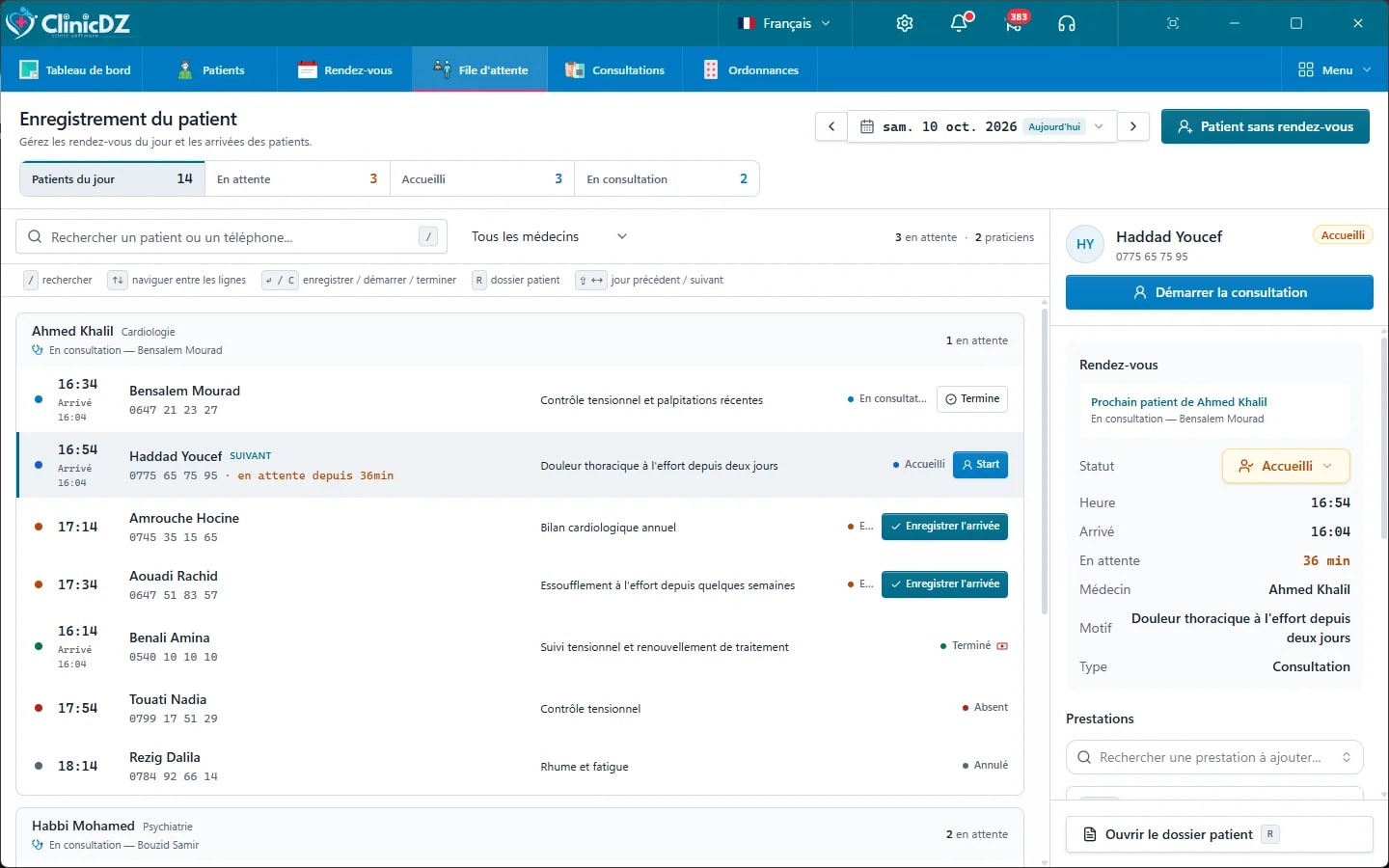
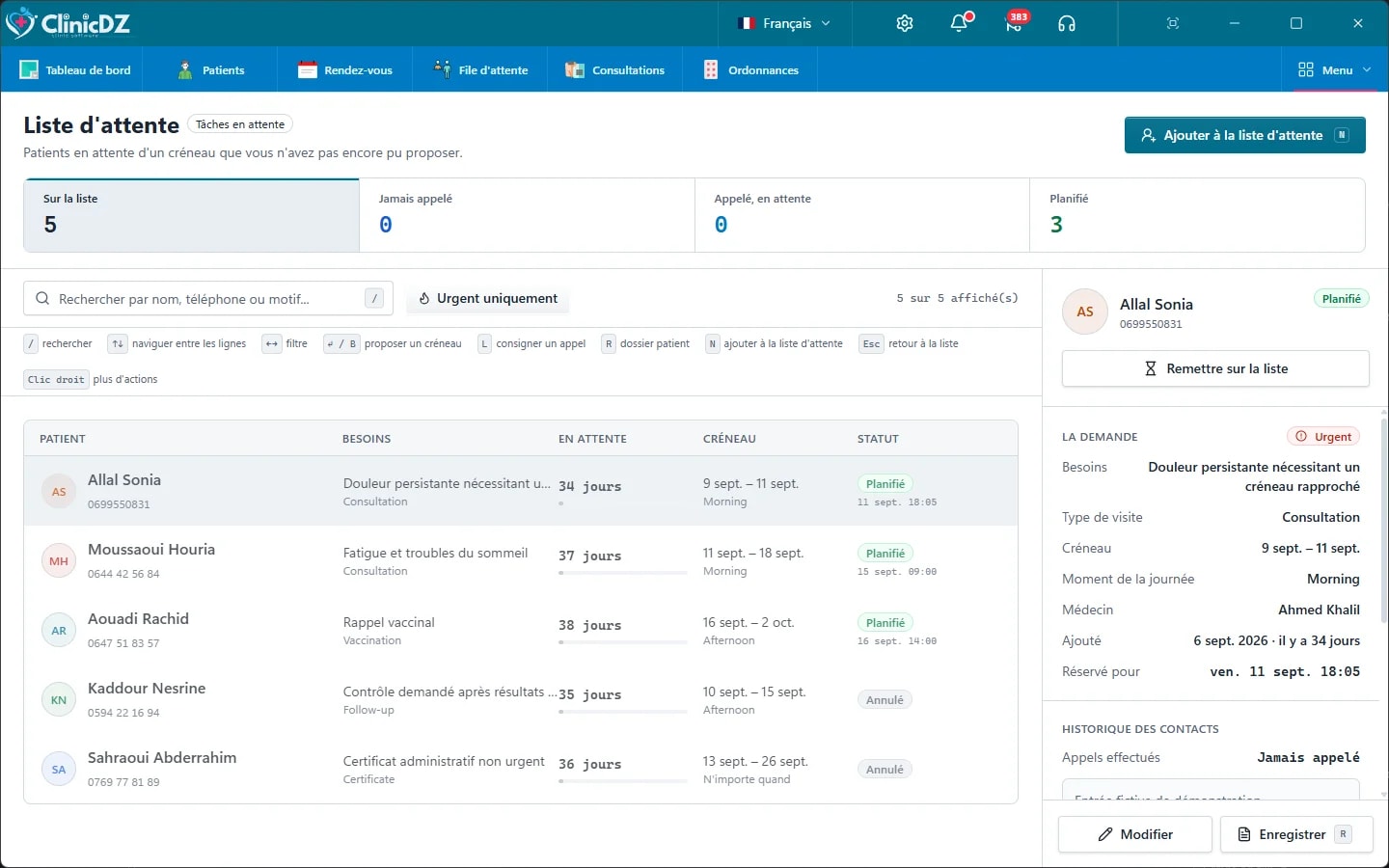
The waiting room reflects who's actually there and who's next — not a guess based on the printed schedule.
In a multi-doctor practice, a doctor's waiting list never mixes with a colleague's patients.
An appointment carries its status into the consultation, so the doctor opens the right patient without reception re-explaining who's next.
Yes. Appointments are assigned to a specific practitioner, and reception can plan the day for every doctor in the practice from one screen.
Mark the appointment as a no-show. It stays in the day's schedule so you can see it was missed, rather than disappearing.
No — record the arrival directly, and the patient joins the correct doctor's waiting queue without a prior booking.
Tell us about your practice. We will help choose the right setup.
Request a license — 39 000 DA